Samsung One UI 9 Brings New Quick Panel, DeX, Gaming And Privacy Features
Samsung is preparing One UI 9 based on Android 17 with practical changes across Quick Panel, DeX, Notes, gaming, accessibility, privacy and security for Galaxy users.

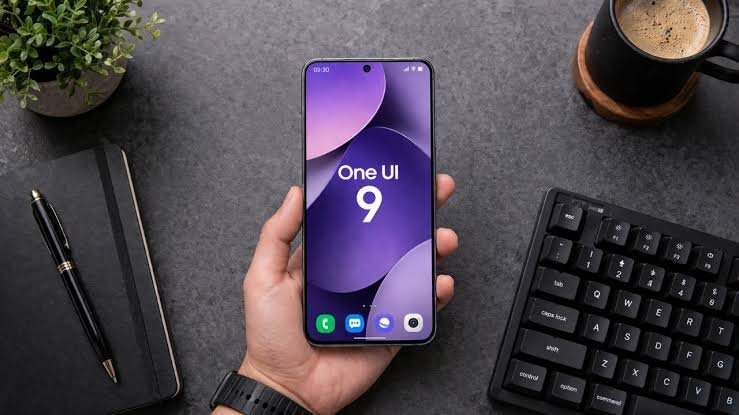
Samsung is working on the next major software update for its Galaxy devices, and One UI 9 is already attracting attention with a collection of practical changes. Based on Android 17, the new interface is currently being tested through beta releases on selected Galaxy devices.
Instead of making the update mainly about a dramatic visual redesign, Samsung appears to be concentrating on features that can make everyday phone and tablet use more convenient. The beta version has revealed several changes across customization, multitasking, gaming, accessibility, privacy and security.
One of the noticeable changes comes to the Quick Panel. One UI 9 will give users more control over how the panel is arranged. Brightness and volume controls can be adjusted, while the size of the media player can also be changed.
Samsung is also allowing users to separate the sound mode button from the volume slider. These additions should make it easier to organize frequently used controls according to individual preferences instead of relying entirely on the default layout.


Samsung DeX is getting attention as well. Users who rely on DeX to turn a compatible Galaxy device into a desktop style setup will find it easier to manage applications across multiple desktops.
With the updated system, an application window can be moved from one desktop to another through the menu at the top of the window. The Recents screen will also show previews of available desktops near the top, allowing users to switch between them more quickly.
Samsung Notes is another application receiving useful additions. The new Tape feature allows users to cover part of a note with virtual tape and reveal the hidden section when required. Samsung is also introducing additional pen and line styles, giving people more options when writing, drawing or organizing information inside Notes.
Gaming controls are becoming more flexible too. The Game Booster panel in One UI 9 will provide access to additional settings while a game is running. Users can change certain options, including screen resolution and screenshot format, without having to completely exit the game.
This could be particularly useful for players who switch between graphics quality and performance depending on the game they are playing. Having those controls within Game Booster can reduce the need to repeatedly search through the main settings menu.
Privacy is another area where Samsung is making the interface more transparent. One UI 9 introduces a new visual indicator for location access. When an application uses the device location, a blue indicator can appear at the top of the screen.
Users can then open the Quick Panel and tap the indicator to find out which application is accessing location information. The change is designed to give users a clearer idea of when their location data is being used.
Accessibility is also receiving a wider set of improvements. A new What’s New section in Accessibility Settings will help users discover recently added accessibility options. Samsung is also improving Mouse Keys with additional controls for pointer speed and acceleration.
The system can make it easier to operate the mouse pointer using the number pad on a physical keyboard. Keyboard shortcuts are also being expanded, allowing users to reach certain accessibility functions without constantly interacting with the touchscreen.
Another useful addition is Text Spotlight. This feature can display selected on screen text in a separate floating window with larger and highlighted lettering. Users can adjust options such as font size and colour according to their needs. It could be especially helpful when reading smaller text on a phone or tablet display.
Samsung has also reorganized some accessibility settings. The Replace swipe with single tap option is being moved to the Dexterity and interaction section, which could make the feature easier to locate for users who depend on alternative interaction methods.
Security improvements are part of the update as well. Samsung says One UI 9 can provide warnings when potentially risky or dangerous applications are detected. Depending on the situation, the system may also restrict certain applications from being installed or used and suggest that users remove them.
The features currently visible in the beta version should not necessarily be treated as the final One UI 9 experience. Samsung can modify existing functions or introduce additional features before the stable version reaches supported Galaxy devices.
For Galaxy users, the overall direction of One UI 9 appears clear. Samsung is focusing on giving people more control over everyday functions rather than relying only on visual changes. Quick Panel customization, improved DeX controls, flexible gaming settings, clearer location indicators and expanded accessibility tools could make the update useful in regular day to day use.
The final rollout schedule and supported device list will depend on Samsung’s official release plans. More changes may also appear as testing continues and the stable version moves closer to release.