Apple Sends iPhone Spyware Alert to Targeted Users
Apple has warned selected iPhone users about possible mercenary spyware targeting, urging them to update devices, verify alerts and strengthen account security immediately.

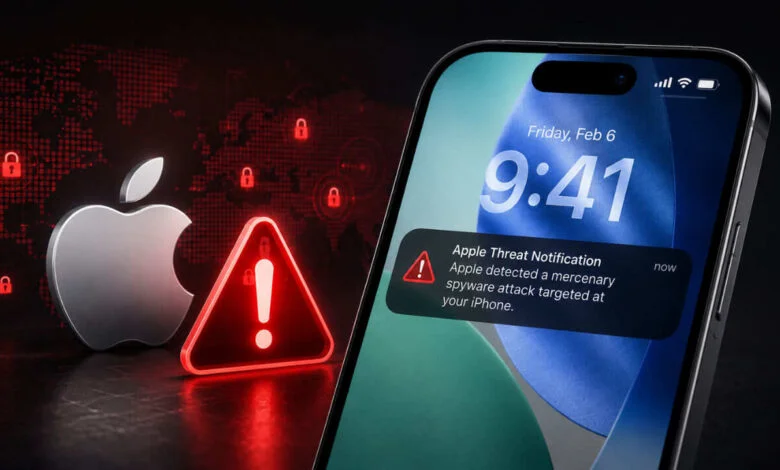
Apple has issued a targeted iPhone spyware alert.
Users should verify genuine Apple threat notifications.
Apple recommends software updates and Lockdown Mode.
Apple has sent threat notifications to a limited group of users whose devices may have been individually targeted by highly sophisticated mercenary spyware. The company says these attacks are rare, expensive and designed to target specific people rather than ordinary iPhone users.

Receiving the alert does not automatically mean that an iPhone has been hacked. Apple describes its threat notifications as high confidence warnings based on the company’s threat intelligence and investigations. However, the company says recipients should take the warning seriously because such attacks can be extremely advanced.
One of the first things users should do is check whether the notification is genuine. Apple says an authentic threat notification can be verified by signing in directly to account.apple.com. If Apple has issued a notification for the account, it will appear clearly at the top of the page after signing in.
Users should be particularly careful with emails and messages claiming to be from Apple. A genuine threat notification will not ask users to click a link, open a file, install an app or profile, or provide an Apple Account password or verification code over email or phone.
Keeping the iPhone updated is another important step. Apple recommends installing the latest available software because security updates address vulnerabilities that could otherwise be exploited. The company also advises users to protect their Apple Account with two factor authentication and a strong password.
For people who receive a genuine threat notification, Apple recommends considering Lockdown Mode. This is an optional security feature designed specifically for the small number of users who could face highly sophisticated targeted attacks. It reduces the potential attack surface by limiting certain apps, websites and device functions.
Lockdown Mode can be enabled from the iPhone settings by opening Privacy and Security, selecting Lockdown Mode and choosing to turn it on. Because the feature restricts some normal functions, Apple says it is intended for people who may actually be at risk from sophisticated cyberattacks rather than for routine everyday security.
Apple also advises users not to open unexpected links or attachments from unknown senders. Keeping a strong device passcode, using two factor authentication and installing apps through the App Store are among the company’s broader security recommendations.
The warning is linked to a particularly serious category of cyber threat. Apple says mercenary spyware attacks involve exceptional resources and are usually aimed at a very small number of individuals. Most users will never be targeted by this type of attack.
For anyone who receives an Apple spyware alert, the safest approach is to avoid panic and verify the warning through Apple’s official account page. Checking the software version, securing the Apple Account and considering Lockdown Mode are sensible next steps when the notification is confirmed as genuine.