
Smartphone Storage Full Here Is How To Clear Duplicate Photos And Videos
Repeated photos, large videos and old screenshots can quickly consume phone storage, but Android and iPhone users have simple built in ways to recover space.

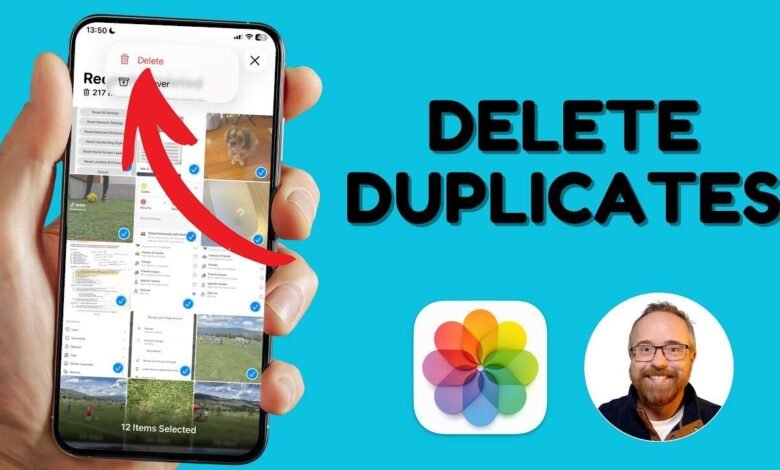
Smartphone storage can disappear faster than expected, especially when the gallery is packed with repeated photos, large videos, screenshots and files received through messaging apps.
Taking several pictures of the same moment is common. Usually, only one or two are eventually useful, while the rest remain forgotten in the gallery. Over time, these unnecessary copies can take up a significant amount of storage.
Freeing space can also help keep a phone running smoothly and leave room for new apps, photographs and software updates. The good news is that both Android and iPhone offer straightforward ways to identify unwanted files.
How to remove duplicate photos and videos on Android


Android users can start with the Google Files app. Open the app and look for the Clean section, where different categories of unnecessary files are displayed.
Depending on the device and app version, users may find suggestions for junk files, old screenshots, large files and unused applications. Reviewing these categories can help identify items that are no longer needed.
For duplicate images specifically, users can also consider dedicated cleanup applications available through the Google Play Store. Before deleting anything, it is worth checking the selected files manually so that important photographs are not removed accidentally.
How to find duplicate photos on iPhone
iPhone users have a built in option that makes this process particularly simple. The Apple Photos app can automatically identify matching or duplicate photographs and videos.
Open the Photos app and go to Collections. Scroll down to the Utilities section and select Duplicates.
The phone will then display photos and videos that it considers duplicates. Users can review the results and choose which files to merge or remove.
A quick storage check can make a noticeable difference
Deleting duplicate media is one of the easiest ways to recover storage without removing important apps or personal files. It is also a good idea to review large videos, old screenshots and downloaded media from time to time.
Before clearing anything in bulk, users should carefully review the files and make sure important memories or documents have been backed up. A few minutes spent cleaning the gallery can free up considerable space and make everyday phone use less frustrating.
Tags
Smartphone Storage, Duplicate Photos, Android Tips, iPhone Tips, Storage Cleanup
Re-write as english article, with meaningful and correct sentence, shuffle the paragraph, make sure write own, avoid copy, Dont translate, shuffle the paragraph (Important), give human touch to article (Important), make sure write own, make news style not book style and give as a English Title (Medium length) English subtitle 30 words (Give this without miss) 3 short bullet points in English, complete short sentence.. (must add main keywords in it, means what in title, that keywords – Must short) content 5 tags comma suppurated (Dont add any symbols, emoji, | hyphens) Important: some third party tools shows article was 100% AI written, so write as a any tool should not find or detect or flag as a AI Written, its very important. sentence, style all should be like human written. Tone, flow, structure should be human written and all tools should pass as a Human written. more natural and original. स्मार्टफोन पर फोटो-वीडियो से स्टोरेज हो गई फुल! ऐसे करें चुटकी में स्पेस खाली एक ही तरह के कई फोटो या वीडियो से फोन की स्टोरेज जल्दी भर जाती है और उसे खाली करना एक बड़ा टास्क बन जाता है। स्मार्टफोन पर स्टोरेज फुल होना आजकल एक बहुत आम बात हो गई है। सोशल मीडिया का जमाना है और हर किसी को ऑनलाइन मौजूदगी बनाए रखनी होती है। ऐसे में स्मार्टफोन हर समय हमारे साथ रहता है, और उसमें लगातार फोटो और वीडियो रिकॉर्ड होते रहते हैं। जाहिर है कि बहुत जल्दी स्टोरेज फुल हो सकती है। इसकी एक वजह फोन में डुप्लीकेट फोटो या वीडियो होना भी है क्योंकि कई बार हम एक ही व्यक्ति या वस्तु के बहुत सारे फोटो ले लेते हैं ताकि बाद में सबसे बेस्ट फोटो को सोशल मीडिया पर लगा सकें। या फिर यादों के रूप में संजोकर रख सकें। ऐसे में स्मार्टफोन में एक ही तरह के कई फोटो या वीडियो से फोन की स्टोरेज जल्दी भर जाती है और उसे खाली करना एक बड़ा टास्क बन जाता है। इसके साथ ही फोन स्टोरेज खाली करने से डिवाइस बेहतर परफॉर्म करता है। और यूजर के पास नए ऐप्स, फोटोज और अपडेट्स के लिए जगह भी बन जाती है। हम यहां पर आपको बहुत आसान तरीका बता रहे हैं जिससे आप चुटकी में डुप्लीकेट फोटो-वीडियो को आसानी से छांट सकते हैं और उन्हें डिलीट कर स्टोरेज को खाली कर सकते हैं। एंड्रॉयड और iOS, दोनों पर ही फोन स्टोरेज को खाली करने का यह उत्तम समाधान हो सकता है। एंड्रॉयड पर डुप्लीकेट-फोटो वीडियो कैसे डिलीट करें एंड्रॉयड फोन में Google Files ऐप के माध्यम से आप आसानी से उन फाइल्स का पता लगा सकते हैं जो आपके लिए किसी काम के नहीं हैं। ऐप मेन्यु में जाकर Clean का एक विकल्प आपको मिलता है। Clean पर टैप करेंगे तो ड्रॉपडाउन में आपको कई तरह के ऑप्शन मिल जाएंगे जिसमें Junk Files, Old Photos, Delete Old Screenshots, Delete Large Files, Delete Unused Apps आदि शामिल हैं। यहां से आप गैरजरूरी चीजों को बहुत आसानी से छांट सकते हैं और उन्हें डिलीट कर स्टोरेज को खाली कर सकते हैं। इसके अलावा, आप फोटो रिमूवर ऐप भी इस्तेमाल कर सकते हैं जिसमें Cleanup, Remo Duplicate Photo Remover जैसे ऐप्स भी Play Store पर उपलब्ध हैं। iOS पर डुप्लीकेट-फोटो वीडियो कैसे डिलीट करें iOS में भी यूजर को अनचाहे फोटो-वीडियो हटाने का विकल्प मिलता है। iPhone में मौजूद ऐप Apple Photos की मदद से आप डुप्लीटेक फोटो वीडियो की पहचान कर उन्हें हटा सकते हैं। Photos ऐप में जाकर Collections पर टैप करें। नीचे स्क्रॉल करके Utilities में जाएं, और Duplicates पर टैप करें। यहां टैप करने से आपको एक जैसे फोटो और वीडियो दिख जाएंगे। डुप्लीकेट फोटो, वीडियो को सिलेक्ट कर उन्हें डिलीट किया जा सकता है।
Smartphone Storage Full Here Is How To Clear Duplicate Photos And Videos
Repeated photos, large videos and old screenshots can quickly consume phone storage, but Android and iPhone users have simple built in ways to recover space.
Smartphone storage fills up fast.
Duplicate photos waste storage space.
Android and iPhone offer easy cleanup.
Smartphone storage running out can be frustrating, especially when the gallery contains hundreds of similar photographs and videos. With people regularly using their phones for social media, travel, family events and everyday moments, the amount of stored media can grow quickly.
One common reason is duplicate content. Users often take several shots of the same scene before choosing one favourite image. The remaining pictures may sit unnoticed in the gallery for months, gradually taking up valuable space.
Removing unnecessary files can create room for new photographs, applications and software updates. It can also make everyday phone management easier. Fortunately, users do not always need complicated software to get started.
How Android users can clear unnecessary files
Android users can check the Google Files app for storage cleanup suggestions. Open the app and select the Clean section to see categories of files that may no longer be useful.
Depending on the device and app version, the cleanup section can highlight junk files, old screenshots, large files and applications that have not been used for a long time. Users can review these suggestions and remove files they no longer need.
There are also dedicated duplicate photo cleanup applications available through the Google Play Store. However, it is sensible to check selected files before deleting them, particularly when the phone contains important personal photographs.
How iPhone users can find duplicate media
iPhone users have a convenient option inside the Apple Photos app itself. The application can identify duplicate photographs and videos and place them together for review.
To access the feature, open Photos and go to Collections. Scroll down until you reach Utilities, then select Duplicates.
The phone will show matching photographs and videos found in the library. Users can review the results and remove unwanted copies. Important images should always be checked before confirming deletion.
A little cleanup can free up useful space
Duplicate media is not the only thing worth checking. Large videos, old screenshots, downloaded files and unused applications can also occupy a surprising amount of storage.
Before deleting anything, users should make sure valuable photographs and videos are backed up. A quick gallery cleanup every few weeks can prevent storage from becoming full again and save the trouble of dealing with a nearly full phone later.