
Seven Android Home Screen Changes That Can Make Your Phone Faster and Easier to Use
Simple Android home screen customizations can improve daily smartphone usage by keeping apps organized, reducing clutter, saving time, and creating a cleaner experience for users

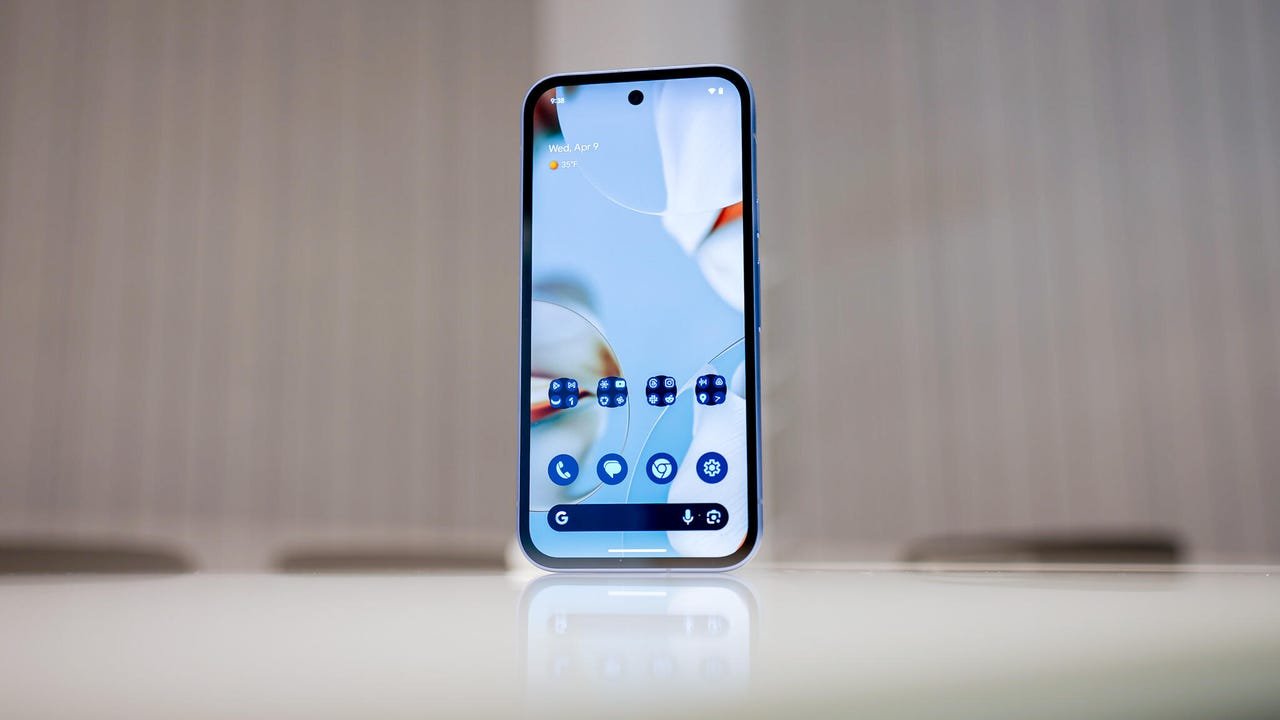
A smartphone is used for almost every part of daily life, from online payments and shopping to office tasks, entertainment, and communication. However, when a phone’s home screen becomes crowded with too many apps, shortcuts, and widgets, finding important features can become frustrating and time consuming.
Android smartphones offer several customization options that can help users create a cleaner and more efficient home screen. By arranging apps properly and keeping only useful elements visible, users can access frequently needed features faster while making the phone experience smoother.
Here are some simple changes that can transform the way you use your Android phone.
Keep Only Essential Apps on the Home Screen


Many users place every installed app directly on the home screen, making it look cluttered. A better approach is to keep only frequently used apps such as WhatsApp, Camera, Phone, UPI applications, Gmail, and browsers on the main screen.
Less important apps can remain inside the App Drawer. This keeps the home screen organized and helps users find their most important apps without wasting time searching.
Create Folders for Similar Apps
Grouping similar applications into folders is one of the easiest ways to manage a crowded home screen. Social media apps such as Instagram, Facebook, and X can be placed together, while banking apps, shopping apps, or work related apps can have their own folders.
This not only saves screen space but also makes navigation quicker and more convenient.
Use Helpful Widgets Wisely
Android phones provide several useful widgets for features such as weather updates, calendars, clocks, reminders, to do lists, and Google Search. Adding the right widgets can help users check important information without opening multiple apps.
However, adding too many widgets can make the home screen look crowded again. It is better to choose only the widgets that provide real value in daily use.
Place Frequently Used Apps Within Easy Reach
The position of app icons can make a noticeable difference in everyday usage. Apps that are opened regularly should be placed near the bottom of the screen where they are easier to reach with one hand.
This small adjustment can make phone operation more comfortable and reduce the need to repeatedly move fingers across the display.
Choose Simple Wallpapers for Better Experience
While live wallpapers may look attractive, they can sometimes consume additional battery power. Users looking for better battery performance can choose simple or dark wallpapers, which also make app icons easier to see.
A clean wallpaper can improve the overall appearance of the home screen and create a more comfortable viewing experience.
Remove Unnecessary Apps and Shortcuts Regularly
Over time, unused apps and shortcuts can make the home screen messy. Regularly reviewing and removing items that are no longer needed can help maintain a cleaner layout.
Keeping only useful applications visible also makes the phone feel more organized and easier to operate.
Maintain a Consistent Theme and Icon Style
A mix of different icon styles, colours, and designs can make the home screen appear untidy. Using a single icon pack or theme can create a more balanced and polished look.
Customizing an Android home screen does not require advanced technical knowledge. Small changes such as organizing apps, using practical widgets, and removing unnecessary clutter can make daily smartphone tasks faster and more enjoyable.