

New Aadhaar App Security Feature Helps Users Lock Biometric Data and Prevent Fraud
UIDAI introduces easier biometric control through the new Aadhaar App, allowing users to lock and unlock fingerprint and iris access while improving protection against identity misuse

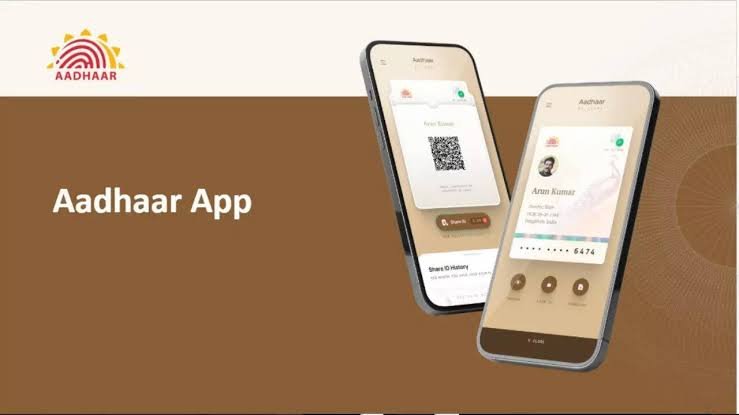
Aadhaar has become one of the most important identity documents in India, being used for banking services, government schemes, mobile connections, and various verification processes. With increasing digital usage, protecting Aadhaar details has become equally important, especially against misuse of biometric information.
To improve security, UIDAI has introduced a biometric lock and unlock feature in the new Aadhaar App. The feature allows users to control access to their fingerprint and iris data, ensuring that their biometric information remains protected unless they intentionally enable it for authentication.
The biometric lock option is especially useful for people who frequently use Aadhaar for online and offline verification. Even if someone gets access to an Aadhaar number, locked biometric data makes it much harder for unauthorized users to misuse fingerprint or iris authentication.
According to information shared by the Ministry of Electronics and Information Technology, the Aadhaar biometric lock and unlock facility has already gained significant adoption, with around 1.91 crore users using the feature to improve their Aadhaar security.


Locking biometric information provides an additional layer of protection against identity fraud. When the feature is activated, fingerprint and iris authentication cannot be used without unlocking the biometric data. This reduces the chances of unauthorized access during Aadhaar based verification processes.
Users can activate this security feature easily through the new Aadhaar App. After opening the app, users need to log in with their Aadhaar details and complete the required authentication process. Once inside the app, they can select the Biometric Lock or Biometric Settings option and choose the Fingerprint and Iris Lock feature.
After following the instructions shown on the screen and completing identity verification, the biometric information linked to the Aadhaar number will be locked. Once activated, fingerprint and iris based authentication will remain disabled until the user decides to unlock it.
The unlocking process is also simple when biometric verification is required for banking services, government facilities, or other official purposes. Users can open the Aadhaar App, select the Unlock Biometrics option, and complete verification to temporarily enable biometric authentication.
After completing the required activity, users are advised to lock their biometric details again to maintain better security. The temporary unlock option gives users more control over when and where their Aadhaar biometric data can be used.
With digital identity usage increasing across the country, features like biometric locking provide users with greater control over their personal information. Regularly managing Aadhaar security settings can help reduce the risk of identity misuse and keep sensitive biometric details safer.