How to Use WhatsApp and Telegram Directly on Your Smartwatch
WearOS users can now stay connected without reaching for their phones, thanks to dedicated WhatsApp and Telegram apps that bring messaging, voice replies, and chat management to smartwatches.

Smartwatches have evolved far beyond fitness tracking and notification alerts. For many users, these wearable devices have become an essential extension of their smartphones, making it easier to stay connected while on the move. One of the most useful upgrades available today is the ability to run popular messaging apps such as WhatsApp and Telegram directly from a smartwatch.
With dedicated smartwatch versions now available, users no longer need to constantly pull out their phones to read messages or respond to conversations. Instead, notifications, chats, and even voice messages can be managed right from the wrist. However, this functionality is available only on smartwatches running WearOS, particularly devices operating on WearOS 3 or newer versions.
The growing demand for convenient communication has encouraged app developers to expand support for wearable devices. WhatsApp introduced its WearOS application earlier, and Telegram has recently followed by offering a dedicated app for compatible smartwatches, including popular models from Samsung and Google.
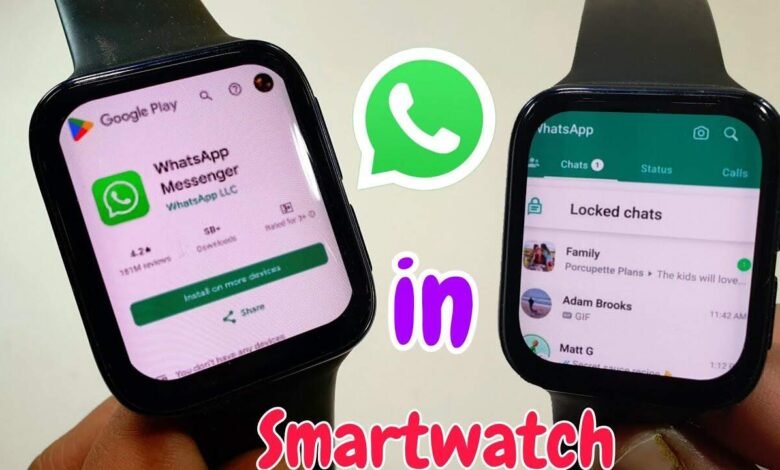
Setting up WhatsApp on a WearOS smartwatch is a simple process. Users need to open the Google Play Store on their watch, search for WhatsApp, and install the official application. Once installed, opening the app displays a QR code that must be linked through the WhatsApp account on the smartphone. Within moments, the account becomes active on the smartwatch.


After the setup is complete, users can access a range of features directly from their wearable device. Incoming messages can be read instantly, replies can be sent through voice input or quick responses, and users can even start new conversations without touching their phones. This level of convenience is particularly useful during workouts, commuting, or situations where accessing a smartphone may not be practical.
Telegram users can enjoy a similar experience. The installation process begins by opening the Play Store on the smartwatch, searching for Telegram, and downloading the official application. After signing into the account, users gain access to their conversations, message history, and voice messaging features.
The Telegram smartwatch app also includes useful chat management tools. Features such as pinned chats and mute controls are available, allowing users to organize conversations efficiently from their wrist. Voice messages can be played and recorded directly through the smartwatch, making communication faster and more flexible.
Technology experts recommend keeping both the smartphone and smartwatch versions of these apps updated to ensure smooth performance. Running the latest software versions helps improve compatibility, enhances security, and reduces the chances of synchronization issues.
If notifications stop appearing or conversations fail to sync properly, users should first check their internet connection and update the applications. In many cases, re syncing the app with the smartphone resolves the issue quickly. Since smartwatch messaging apps continue to evolve, developers are actively releasing updates to improve performance and eliminate bugs.
As wearable technology becomes more capable, smartwatches are gradually transforming into independent communication devices rather than simple smartphone companions. With WhatsApp and Telegram now available on WearOS, users can manage everyday conversations more conveniently than ever, making their smartwatch a truly practical tool for modern digital life.